
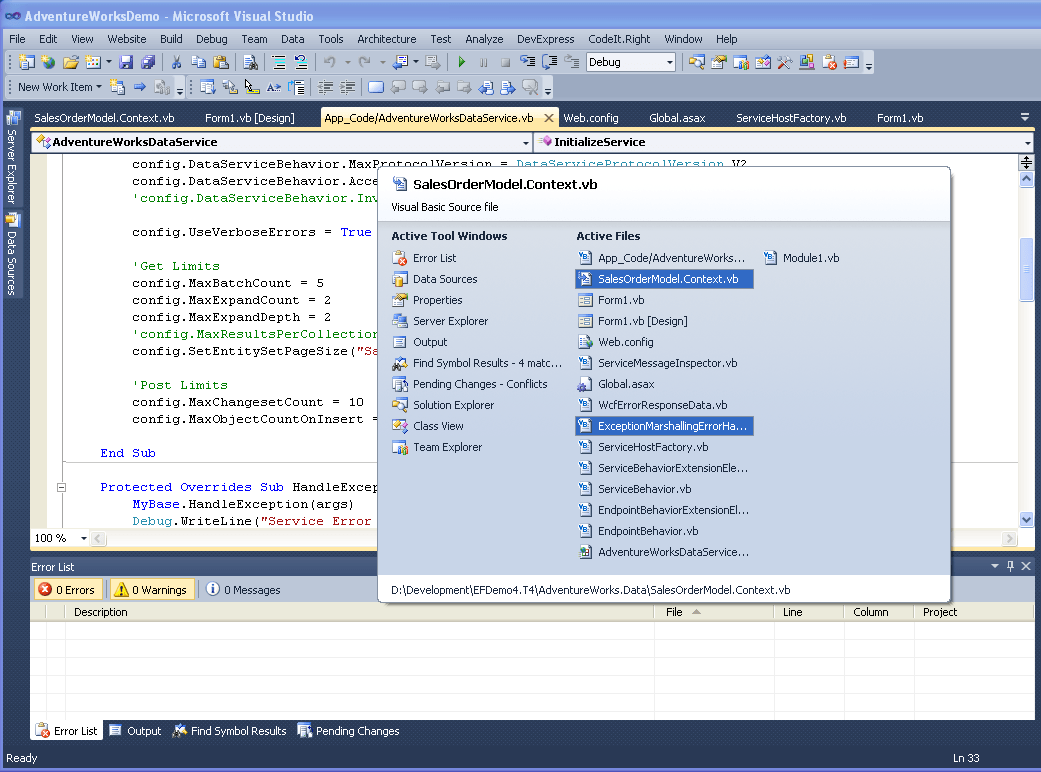
Here is a great Visual Studio keyboard shortcut. Do you work with lots of VS windows and want to switch between them without grabbing the mouse? Press and hold CTRL+TAB. You’ll get a popup with all your open Visual Studio windows, including tool windows. Then you can use TAB to scroll between them, or arrow keys to move around.
Tip By: Martin Shoemaker
Discover more from dotNetTips.com
Subscribe to get the latest posts sent to your email.

Now if only the popup list were in alphabetical order. Or ANY comprehensible order…