Collection Performance: Creating New Immutable Collection From a Collection

Immutable collections, which are collections that cannot be changed, was introduced in .NET 4.5 and are supported in .NET Core and beyond. There are immutable collections that mirror many of the generic collections in .NET. This article shows performance results from creating these types of collections.


Collection Performance: Creating new collection From a collection Using AddRange()

Its common in programming to create a collection from a collection. Usually there is some business logic applied to the items before they are put into the new collection. This article will focus on doing that by using AddRange() from LINQ.

Collection Performance: Creating A New List Or Linkedlist While Adding Items Using The Constructor

In many of the collection types in .NET, you can fill a collection at the same time the object is created as that can improve performance. This article shows the performance results for List and LinkedList.

Everything That Every .NET Developer Needs to Know About Disposable Types: Part 1  – Properly Disposing Objects

This article discusses the importance of proper memory management and disposing of objects in .NET development. It highlights the significance of correctly handling IDisposable types to avoid virtual memory leaks, which can lead to performance issues and application failures. The article also provides tips and best practices for identifying and addressing hidden disposable issues to ensure efficient memory utilization and application performance.

String Performance: The Fastest Way to Get a String’s Length

The article highlights the importance of using efficient methods for checking if a string is empty or null, emphasizing the performance benefits and exception prevention of using `string.IsNullOrEmpty()` and `string.IsNullOrWhiteSpace()` over the traditional `if (emailAddress == "")` approach. Benchmark results reveal that using null and `string.Empty()` is the most performant way to check for an empty string, with other methods showing similar performance levels. Updated January 2024.

Collection Performance: Sort() with CompareTo()

Let’s discuss for() and foreach() under load to establish a baseline. As you can see below, I used the same code in the previous chapter and added Task.Delay() to simulate a CPU load.

Collection Performance: Creating New Collection From A Collection Using for() & foreach()

It's common in programming to create a collection from a collection using for(), foreach() and ForEach(). Usually, business logic is applied to the items before they are put into the new collection. This article will focus on doing that along with discussing capacity. Updated February 2023.

dotNetDave Says… Memory Affects Performance and Performance Effects Memory!

The focus on code and application performance has become crucial due to the shift to cloud systems. Inefficient code can increase costs and drive users away. Performance should be prioritized in the design phase, as it directly impacts revenue, cloud expenses, and user trust. Build efficient software from the beginning.

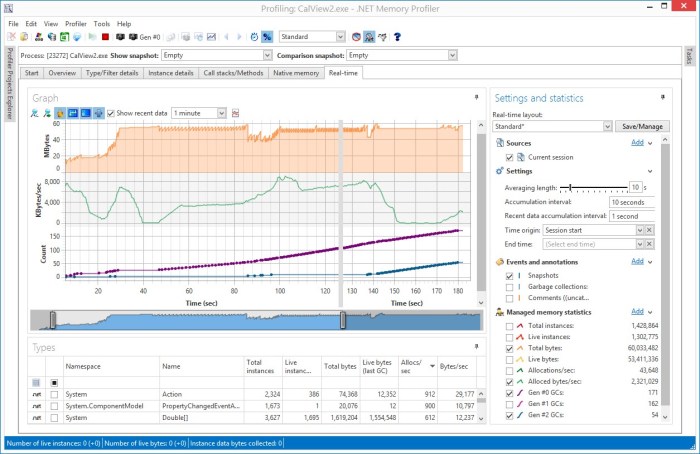
Analyzing Code for Issues: .NET Memory Profiler

I have stated many, many times, “Performance affects memory and memory affects performance”. None of the code analysis tools I've written about will find every issue when it comes to memory and performance issue. The only way to find the rest is by using a memory profiler tool on running code near to production machine setup as possible.

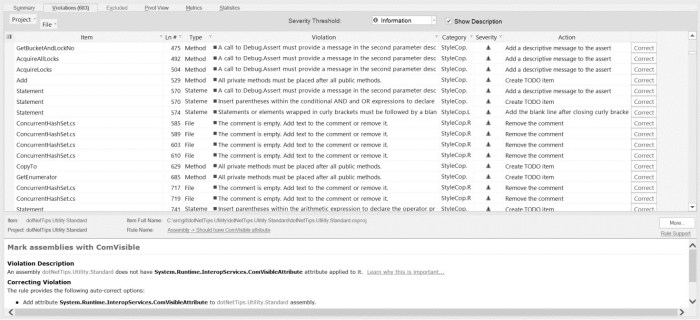
Analyzing Code for Issues: CodeIt.Right

CodeIt.Right from Submain.com is a static code analysis add-in to Visual Studio. It follows the same rules as FxCop/ Analyze. The best part of CodeIt.Right is that it not only finds the same violations, but it will fix around 90% of them by just clicking a button!