
Because software is supposed to make life better—not harder.
Recently, I wrote an article titled UX Chronicles: When OpenAI’s Magic Meets a Messy User Experience, where I discussed the usability and stability issues in OpenAI’s image and video generation platform, Sora.
When Sora 2 launched on September 30, 2025, I expected those issues to improve.
Instead, something surprising happened.
The user experience didn’t just fail to improve.
It got worse. Much worse.
In fact, Sora 2 may become one of the clearest recent examples of how a company can break a working product while trying to “improve” it.
And if you care about user experience, product design, or AI tools, you should pay attention—because this pattern is spreading across the tech industry.
OpenAI recently announced that Sora 1 will be discontinued on March 13, 2026, explaining the change this way:
“Sora 1 relies on older models and infrastructure. Moving to a single Sora experience reduces complexity and allows continued improvements in Sora 2 across web and mobile.”
OpenAI
That explanation raises an obvious question.
Why does upgrading the underlying model require completely redesigning the user interface?
A new engine under the hood shouldn’t require rebuilding the entire dashboard. Imagine Microsoft releasing a completely different version of Word every time they updated the file format.
It would be absurd.
Yet that’s exactly what this transition feels like.
A Confusing Rollout
The rollout of Sora 2 has been confusing from the start.
Last year I began receiving messages telling me I was using the “old” Sora and needed to switch to the new one. Clicking the link took me to a page prompting me to install an iPhone app.
That immediately raised a red flag.
The type of image generation work I do involves complex prompts, iteration, and experimentation. That’s something I do on a desktop—not a phone.
Eventually, I found a link labeled “Open New Sora.”
Clicking it takes me to a page that looks nothing like the original Sora interface.
Even more confusing, there is nowhere on this page where you can create images.
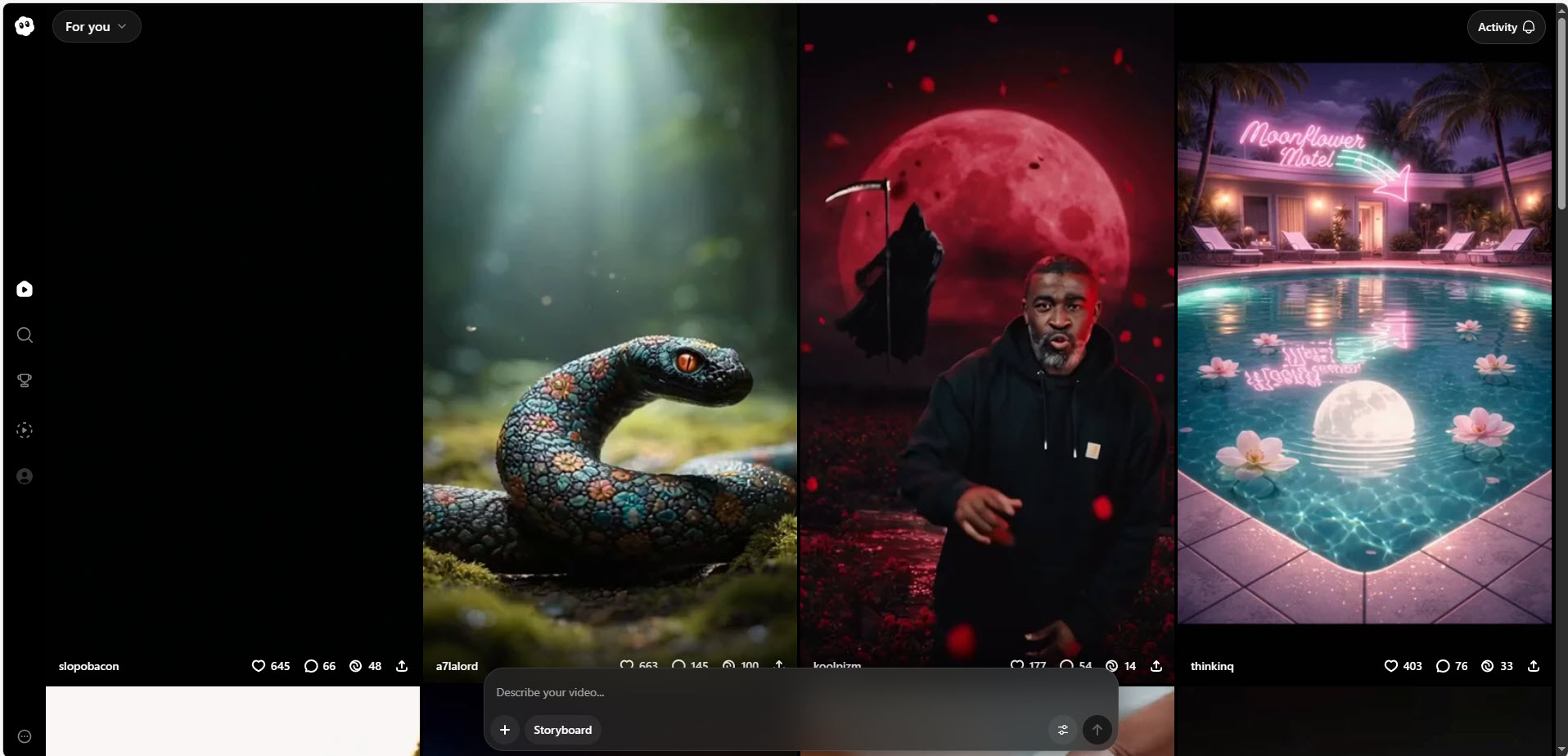
The page appears focused almost entirely on video generation and behaves more like a social media feed than a creative workspace. Hovering over videos immediately plays audio, which is irritating when you are simply trying to browse.
If OpenAI’s goal was to create a “single Sora experience,” the result feels like the opposite.
The platform now feels more fragmented than before.
Creating Images… Through ChatGPT?
Eventually, I discovered—through the Sora sunset FAQ—that image generation is now handled through ChatGPT.
That raises another question.
ChatGPT is primarily designed for conversation. It was never intended to serve as a structured workspace for managing large numbers of generated images.
For casual users, this approach may work.
For anyone generating hundreds or thousands of images, the workflow quickly becomes chaotic.
Five UX Principles Sora 2 Violates
Good user experience is built on a few simple principles.
Sora 2 breaks several of them.
First, don’t remove core functionality.
Folders, favorites, filtering, likes, and advanced search were essential features in Sora 1. Removing them makes the platform objectively harder to use.
Second, don’t break existing workflows.
Users built real creative workflows around Sora 1. Those workflows have now disappeared.
Third, don’t force users into a different product.
Moving image generation into ChatGPT fundamentally changes how the tool works.
Fourth, don’t fragment the experience.
Images now live inside ChatGPT. Videos appear somewhere else entirely. Discovery tools are scattered.
Fifth, don’t punish power users.
Daily generation limits affect the users who rely on the platform the most—the very users who helped popularize it.
When software violates these principles, users notice immediately.
What Sora 2 Removed
To understand why the experience feels worse, it helps to look at what Sora 1 originally offered.
Many of the features that made Sora usable for serious creators have simply disappeared.
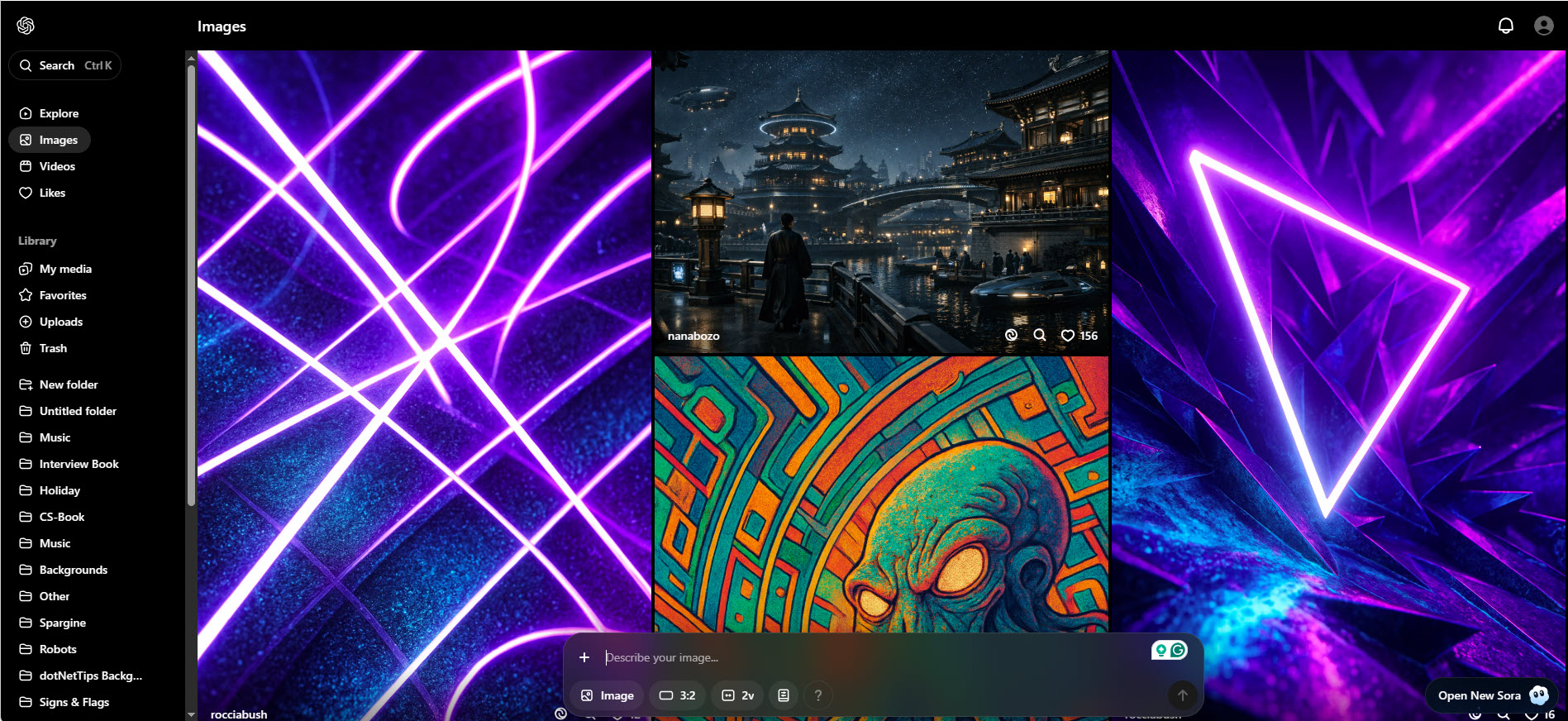
Search: From Powerful to Useless
Sora 1 allowed users to search both their own creations and content generated by other users.
This was essential for creators like me who have generated thousands of images.
In Sora 2, that capability appears to be gone. The only option now is ChatGPT search, which is not designed for browsing generated media.
Explore and Community Content: Gone
The Explore page allowed users to discover what others were creating.
It was incredibly useful for inspiration and for learning how to write better prompts.
Users could also showcase their work.
This entire community feature appears to be gone.
Likes: Removed Without Replacement
In Sora 1, users could like images and videos.
This served two purposes:
It allowed creators to appreciate each other’s work and it provided a quick way to bookmark images for later use.
That feature has disappeared.
My Media: Fragmented and Confusing
Sora 1 had a clear My Media page that displayed all generated images and videos together.
Now images appear inside ChatGPT while videos appear somewhere else entirely.
Instead of simplifying the workflow, the experience is now fragmented.
Favorites: Another Casualty
Favorites allowed users to tag their own work for later reference.
This was particularly useful when generating large numbers of variations.
The feature no longer appears to exist.
Uploads and Trash: Basic File Management Removed
Previously, users could view uploaded assets, reuse them in prompts, and recover deleted items from Trash.
These basic file-management features now appear to be gone.
Even deleting content has become unclear.
Folders: Organization Eliminated
This is perhaps the most painful loss.
Folders allowed creators to organize their images and videos.
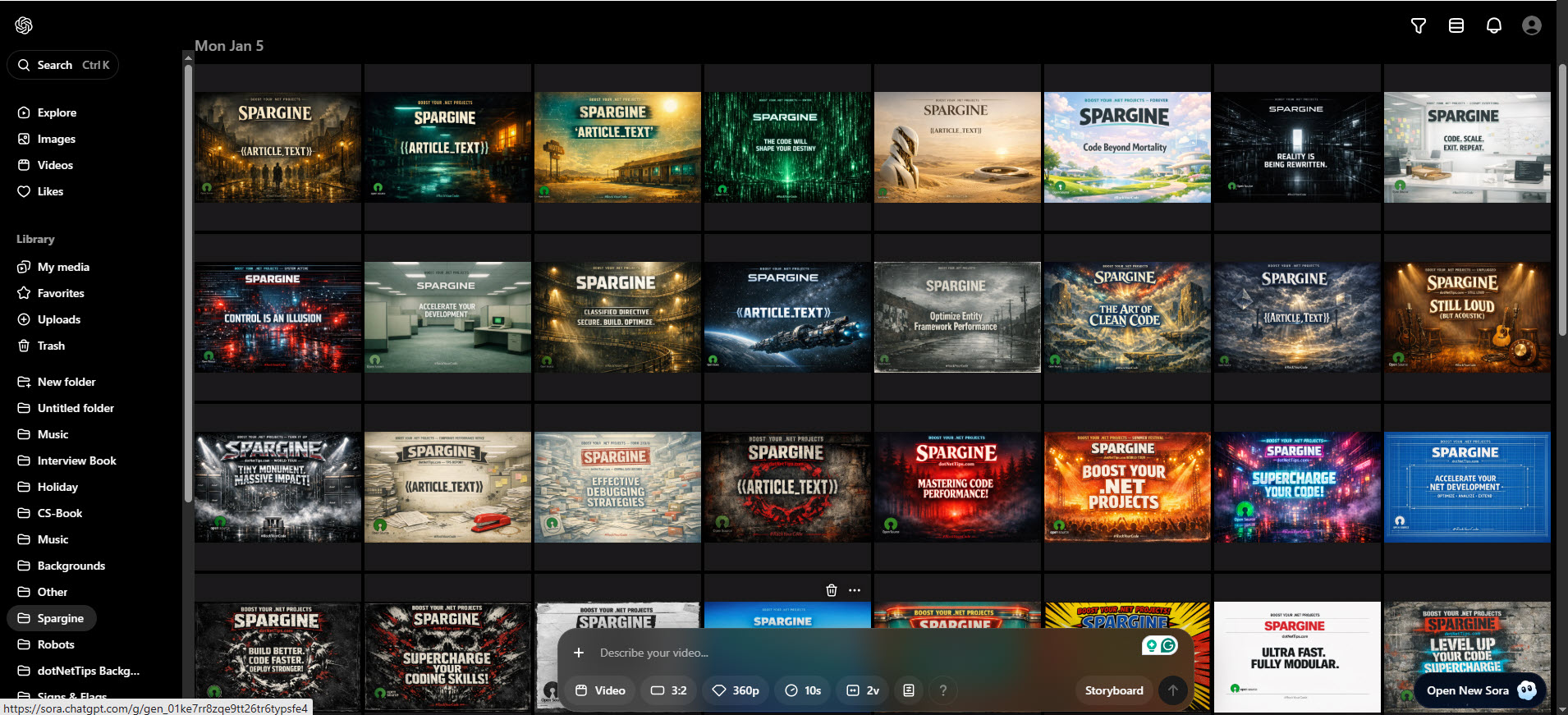
Since I have created thousands of generated assets, folders were essential.
Without them, managing work becomes dramatically more difficult.
All of the time I spent organizing content is now effectively wasted.
Filtering and Layout Controls: Also Gone
Sora 1 allowed users to filter and sort content in different ways.
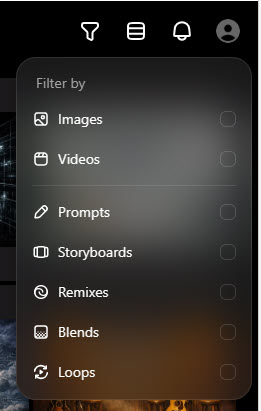
These options made it much easier to locate specific work.
Those controls appear to be gone as well.
Image Creation Tools: Stripped Down
The tools used to generate images have also been simplified in ways that make them less useful.
Sora 1 allowed users to easily edit prompts, remix existing images, adjust aspect ratios, generate multiple versions, and apply presets.

These capabilities made experimentation fast and efficient.
Many of these features are now harder to access or missing entirely.
For comparison, Adobe Firefly provides a robust suite of tools designed to help users shape and refine images, giving them far greater control over the creative process. Instead of simply generating an image and hoping for the best, Firefly offers features that let users manipulate, adjust, and iterate—making it much easier to translate imagination into a finished visual that actually matches the original idea.
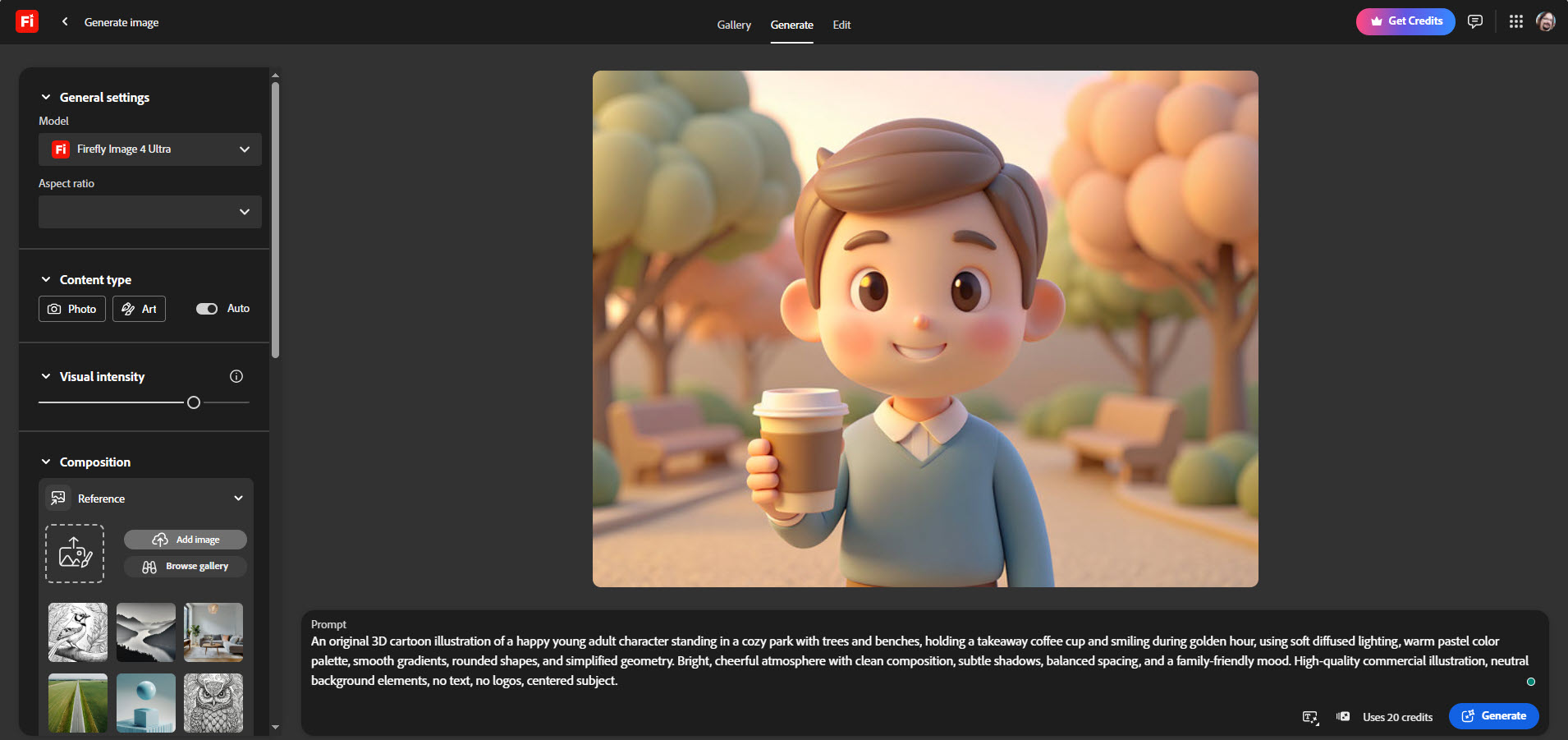
Image File Naming: A Step Backward
Until recently, when saving an image to disk, Sora generated reasonably descriptive file names. A typical example looked like this:
20250621_0606_AI Robot Code Analysis_simple_compose_01jy92ksxjf078ezmzbd66h7xt.png
I actually liked this format quite a bit. The file name included a clear title describing the image, and I could reuse that text as the Title property when processing images in Adobe Lightroom. That small convenience saved a surprising amount of time because, more often than not, I didn’t need to invent a title myself.
Not long ago, however, Sora started producing names like this:
20260221_0910_Image Generation_simple_compose_01kj0bywk4etw90jpbygn09wzv.png
As you can see, the descriptive portion of the name is gone. What remains is essentially a generic label that tells me almost nothing except the date the image was created.
Unfortunately, things are even worse with Sora 2. File names now look like this:
ChatGPT Image Mar 9, 2026, 07_55_38 AM.png
This is a clear regression. The file name contains no meaningful description of the image whatsoever. As a result, I now have to generate a title and caption for every single image myself. To do that, I often end up asking ChatGPT to help create one. While that works, it adds an extra three to five minutes of work per image, which significantly slows down my workflow when producing large numbers of images.
To be fair, Adobe Firefly behaves similarly, so this is not just a Sora issue. Another problem both platforms share is the lack of a unique identifying number appended to the end of the file name. I rely on this when organizing and processing images in Lightroom. Without it, I have to manually rename every generated file using Lightroom.
Individually, these may seem like small inconveniences. But when you generate hundreds of images—as I often do for articles, books, presentations, and social media—the extra manual steps add up quickly. What used to be an efficient workflow has now become a repetitive and unnecessary time sink.
This may sound like a minor issue, but it highlights a broader problem with many modern AI tools: basic workflow details are often overlooked.
Developers and product teams focus heavily on generating impressive images or adding new AI features, but they sometimes forget that users still need to manage, organize, and process those files afterward. For people generating large numbers of images, small workflow regressions can quickly turn into significant productivity losses.
Good software should reduce friction, not introduce more of it.
Something as simple as generating descriptive file names with unique numbers is not difficult to implement. In fact, earlier versions of Sora already demonstrated that it could be done. Removing that capability makes the product feel less polished and less considerate of real-world workflows.
AI tools are incredibly powerful, but power alone is not enough. Thoughtful usability matters just as much. When seemingly small features disappear, it sends the message that the everyday experience of users is not being fully considered. Sometimes progress in AI feels less like forward momentum and more like two steps forward and one step backward.
What Did We Actually Gain?
Aside from the new model itself, it’s difficult to identify meaningful improvements.
Image generation quality is sometimes better, but there are also noticeable regressions.
Faces occasionally appear distorted again, text rendering issues have returned, and the model sometimes ignores small prompt adjustments.
In several cases I asked for a minor tweak and received the exact same image again.
“Sora 2 feels less like an upgrade and more like a factory reset of everything that made Sora useful.”
David McCarter – March 2026
Rate Limiting Even for Paying Users
In November 2025, OpenAI introduced daily limits for free users.
However, paying users are also seeing limits.
Despite paying for ChatGPT, my account is currently restricted to 50 generated images per day.
That may not sound terrible until you consider that a significant portion of generated images are unusable because the model misinterprets prompts.
When half the results are unusable, those limits become extremely restrictive.
File uploads for paid users are also now being limited.
Another frustration I ran into while generating images through ChatGPT is the additional time-based rate limiting. After creating a few images in a short period, the system suddenly refuses to generate more and displays a message like, “You must wait 9 minutes before creating more images.”
What’s particularly annoying is that there’s no clear explanation of what triggers this limit. There’s no visible counter, no documentation, and no indication of how large the time window is. One minute you’re working efficiently, iterating on ideas, and the next minute you’re staring at a countdown timer.
Let’s be honest—if generating five images in ten minutes is enough to bring the infrastructure to its knees, something is seriously wrong with the design. For people using AI tools as part of a creative or production workflow, these kinds of opaque restrictions turn what should be a powerful productivity tool into an exercise in patience.
Innovation should remove friction, not add it. Right now, this feels less like a creative accelerator and more like waiting in line at the DMV.
File uploads for paid users are also now being limited on ChatGPT.
The Industry Trend: Enshittification
What’s happening here isn’t unique to OpenAI.
It’s part of a larger pattern across the tech industry.
A term has emerged to describe it.
Enshittification.
Platforms initially offer generous features to attract users.
Once users are invested, companies begin restricting features, introducing limits, and placing functionality behind paywalls.
Eventually, the experience deteriorates enough that users start looking elsewhere.
We have seen this pattern with companies such as Adobe, Facebook, Google, Reddit, Spotify, YouTube, Discord, LinkedIn, Slack, X, and even streaming services like Amazon Prime.
Unfortunately, AI platforms now appear to be entering the same cycle.
Where OpenAI Is Headed
In my opinion, OpenAI, ChatGPT, and Sora are moving in the wrong direction when it comes to user experience.
When platforms remove core functionality and add restrictions, users begin looking for alternatives.
Those alternatives already exist.
Adobe Firefly
Midjourney
Runway
Luma AI
Pika
Google Veo
When Sora 1 shuts down in March, I will likely begin evaluating these platforms more seriously.
What makes this particularly frustrating is that I have spent two years learning how to get the best results from Sora.
Now it feels like I may need to start over.
Final Thoughts
One thing is becoming increasingly clear.
OpenAI appears to be prioritizing AI video generation as the future of Sora, while image generation feels like a secondary concern.
Video generation is impressive, but it requires a different workflow and learning curve.
Not every creator wants to switch mediums.
I also have to wonder whether OpenAI speaks with its users before making major platform changes like this.
Because from the outside, it feels like Sora 2 was built from scratch without considering how people were actually using Sora 1.
For students of software design, the transition from Sora 1 to Sora 2 may eventually become a case study in how not to redesign a user experience.
The frustrating part is that Sora didn’t need a complete reinvention.
It needed refinement.
Instead, OpenAI replaced a working workflow with something far less usable.
And when that happens, users eventually do the one thing companies fear most.
They leave.
But what do I know?
I’ve only spent decades building software—and two years learning how to get the best out of Sora.
One thing companies like OpenAI don’t seem to understand is this: once you lose a customer, getting them back is incredibly difficult. Push users too far, and eventually they simply walk away.

Warning: If companies continue down the road of enshittification—removing features, restricting paying users, and making products worse instead of better—I’ll vote the only way that matters: with my wallet. And I won’t hesitate to use my platform to warn others before they make the same mistake.
Pick up any books by David McCarter by going to Amazon.com: http://bit.ly/RockYourCodeBooks
Make a one-time donation
Make a monthly donation
Make a yearly donation
Choose an amount
Or enter a custom amount
Your contribution is appreciated.
Your contribution is appreciated.
Your contribution is appreciated.
DonateDonate monthlyDonate yearlyIf you liked this article, please buy David a cup of Coffee by going here: https://www.buymeacoffee.com/dotnetdave
© The information in this article is copywritten and cannot be preproduced in any way without express permission from David McCarter.
Discover more from dotNetTips.com
Subscribe to get the latest posts sent to your email.

 dotNetTips.com