
Before embarking on my journey as a software engineer, I delved into my first programming language: Visual Basic 2, launched in November 1992. What captivated me initially was the seamless experience it offered for application development through its Integrated Development Environment (IDE). Crafting Windows applications became a breeze with Visual Basic; I could effortlessly drag and drop user controls onto a Form, shaping the user experience with ease. This intuitive approach, often termed WYSIWYG (What You See is What You Get), has been a cornerstone of my affinity towards Microsoft programming languages, enduring even into 2024.
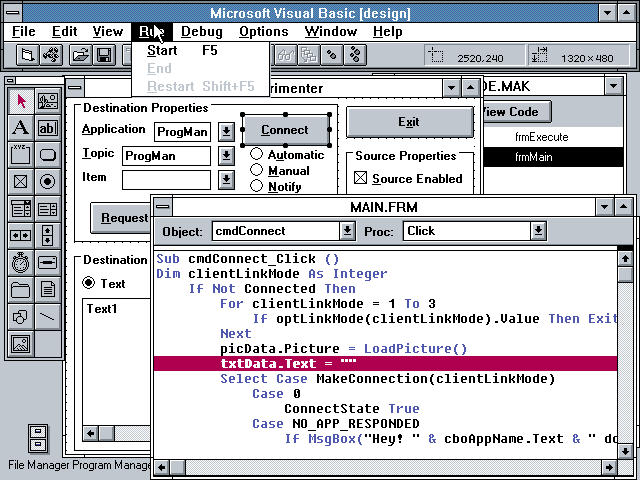
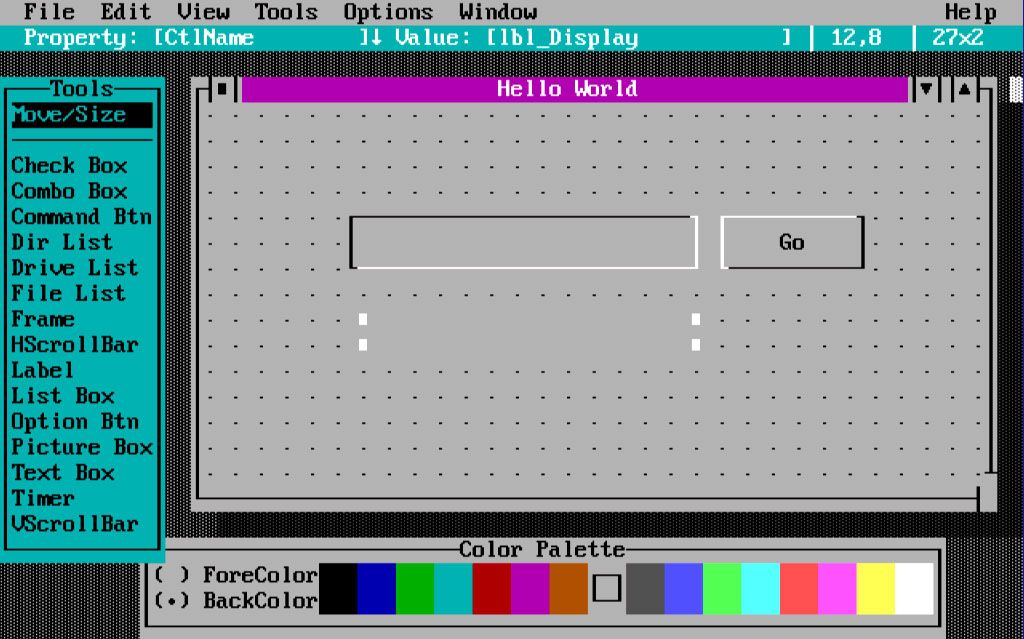
Microsoft pioneered the WYSIWYG approach for Windows DOS applications with the release of Visual Basic for DOS in 1991. In fact, I developed my inaugural multi-platform application for General Atomics in San Diego, California, utilizing Visual Basic and Visual Basic for DOS. Despite the inability to share common code, as we now can with Microsoft .NET, both applications boasted identical features. This application marked the genesis of PC-based phonebook applications at the company, enabling employees to look up contacts. I still possess the installation disks for VB for DOS, which saw only two releases.
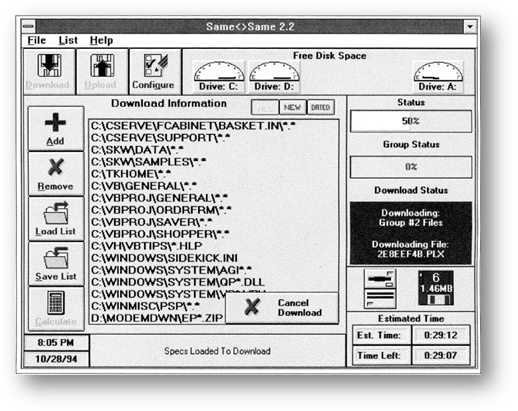
In 1993, I ventured into the realm of public distribution with applications developed using Visual Basic 3. Among them, Same<>Same garnered attention, even receiving a favorable review from PC Magazine, significantly boosting its sales for a time. In addition to Same<>Same, I introduced several screen savers (that I sold for $25) and utility applications.
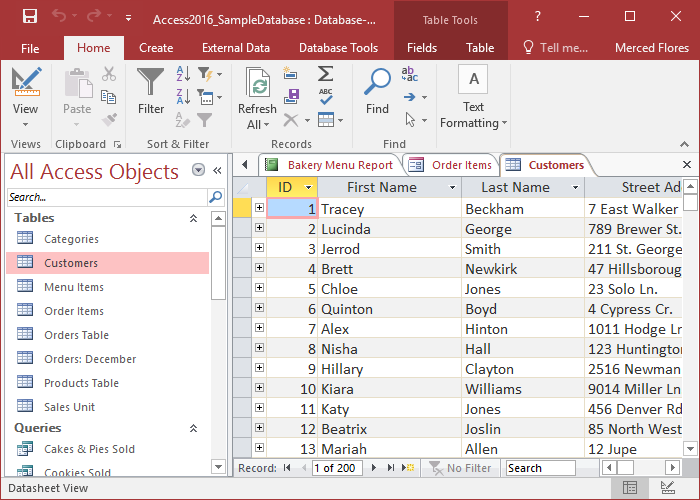
In 1992, Microsoft introduced Access, a pivotal database management system (DBMS) powered by the Microsoft Jet Database Engine. The hallmark feature of Access was its robust capabilities for data entry and management, enabling users to visually design tables, establish relationships between them, and construct user-friendly data entry forms. This streamlined process made database creation and maintenance remarkably simple, a functionality that continues to be relevant and utilized to this day. Today, Access is seamlessly integrated into the Microsoft Office suite, further solidifying its position as a cornerstone tool for database management and data-driven applications.
In October of 1995, Microsoft revolutionized web development with the introduction of FrontPage, a groundbreaking software boasting a WYSIWYG HTML editor and comprehensive website administration tools. Despite initially starting my journey in crafting personal websites using Notepad, the launch of FrontPage prompted a swift transition. Its intuitive interface and simplified workflow allowed for seamless website creation and management, even facilitating effortless site updates at the click of a button.
My earliest venture into web development was the creation of VBTT.com (Visual Basic Tips & Tricks) using FrontPage—a platform that has since evolved into dotNetTips.com (.NET Tips & Tricks). While the website is now created and maintained using WordPress, FrontPage laid the foundation for my foray into digital content creation and management, marking a significant milestone in my web development journey.
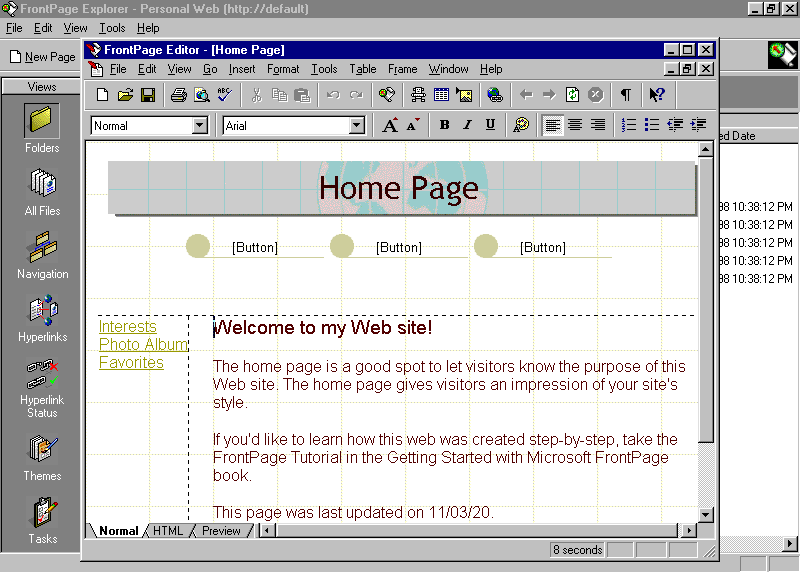
In September 1996, Microsoft introduced Visual InterDev, revolutionizing website creation and programming through an IDE and introducing Active Server Pages (ASP). Visual InterDev offered an array of features including server-side scripting, database connectivity, Visual SourceSafe integration, debugging support, web server management, and seamless integration with FrontPage. Like Visual Basic and FrontPage, Visual InterDev enabled drag-and-drop web form creation with its WYSIWYG interface.
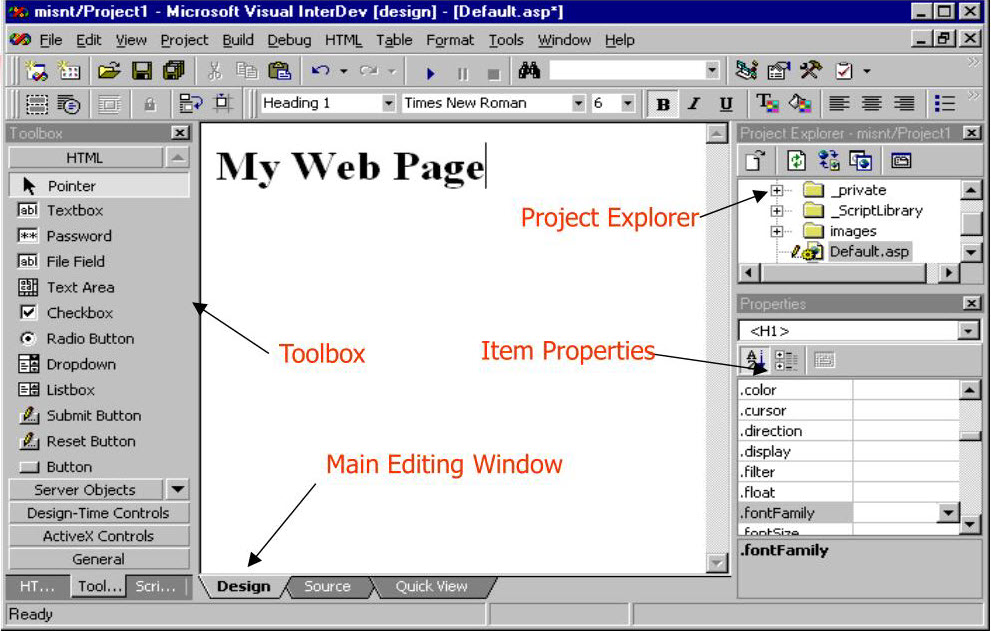
I utilized Visual InterDev extensively in creating websites for the companies I worked for until the emergence of Microsoft .NET and ASP.NET. While it wasn’t the most user-friendly IDE, its significance cannot be overstated, as it laid the groundwork for the evolution of ASP.NET. If you speak to anyone who used it, you might notice a nostalgic cringe as they recall their experiences.
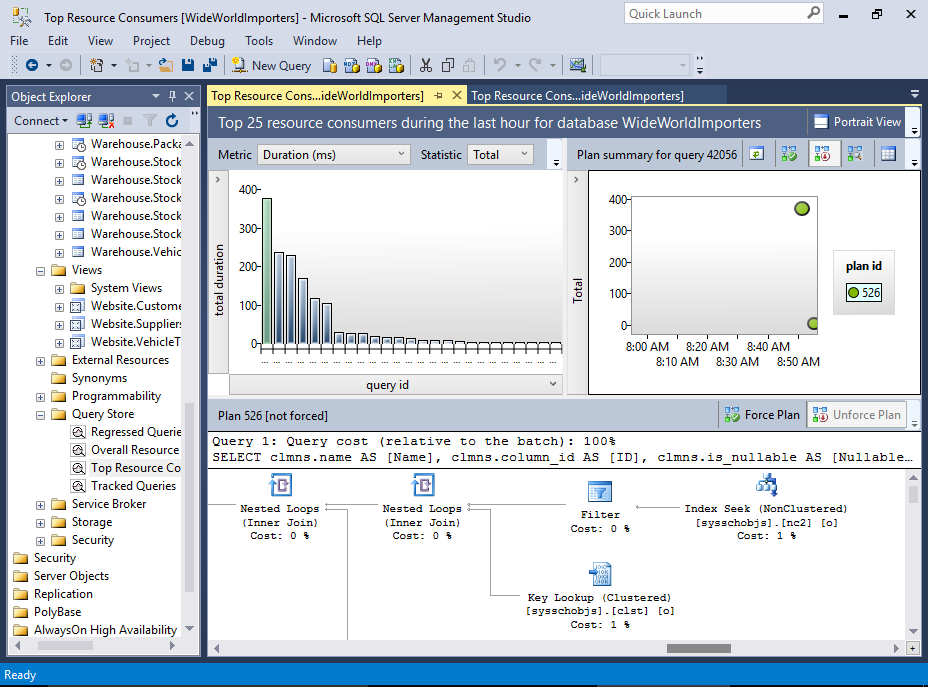
In 1998, Microsoft introduced SQL Server Enterprise Manager, later succeeded by SQL Server Management Studio in 2005, which remains my preferred tool for crafting and administering SQL Server databases. Its extensive suite of features includes the query editor, object explorer, scripting tools, database diagrams, performance monitoring, integration services, and reporting services. Despite not being a dedicated database administrator, I heavily rely on its database diagrams to visually orchestrate table joins and set up indexes. Moreover, I frequently leverage Reporting Services to visually design reports derived from database queries and views. A standout capability of SQL Server Management Studio is its ability to directly invoke .NET code from queries, adding a powerful dimension to database management and querying.
Fast forward to February 2002, Microsoft .NET made its debut, bringing with it the introduction of Visual Studio. Visual Studio amalgamated the strengths of Visual Basic, Visual C++, and Visual InterDev, becoming a cornerstone for software application development. ASP.NET, released alongside .NET, revolutionized website and web service creation, significantly accelerating the development process. With a robust code editor and intuitive drag-and-drop interface, Visual Studio expedited the creation of Windows and web forms, facilitating the rapid prototyping and development of applications. While technically feasible to develop .NET applications without an IDE, the productivity gains afforded by Visual Studio are undeniable, making it a staple tool for developers.
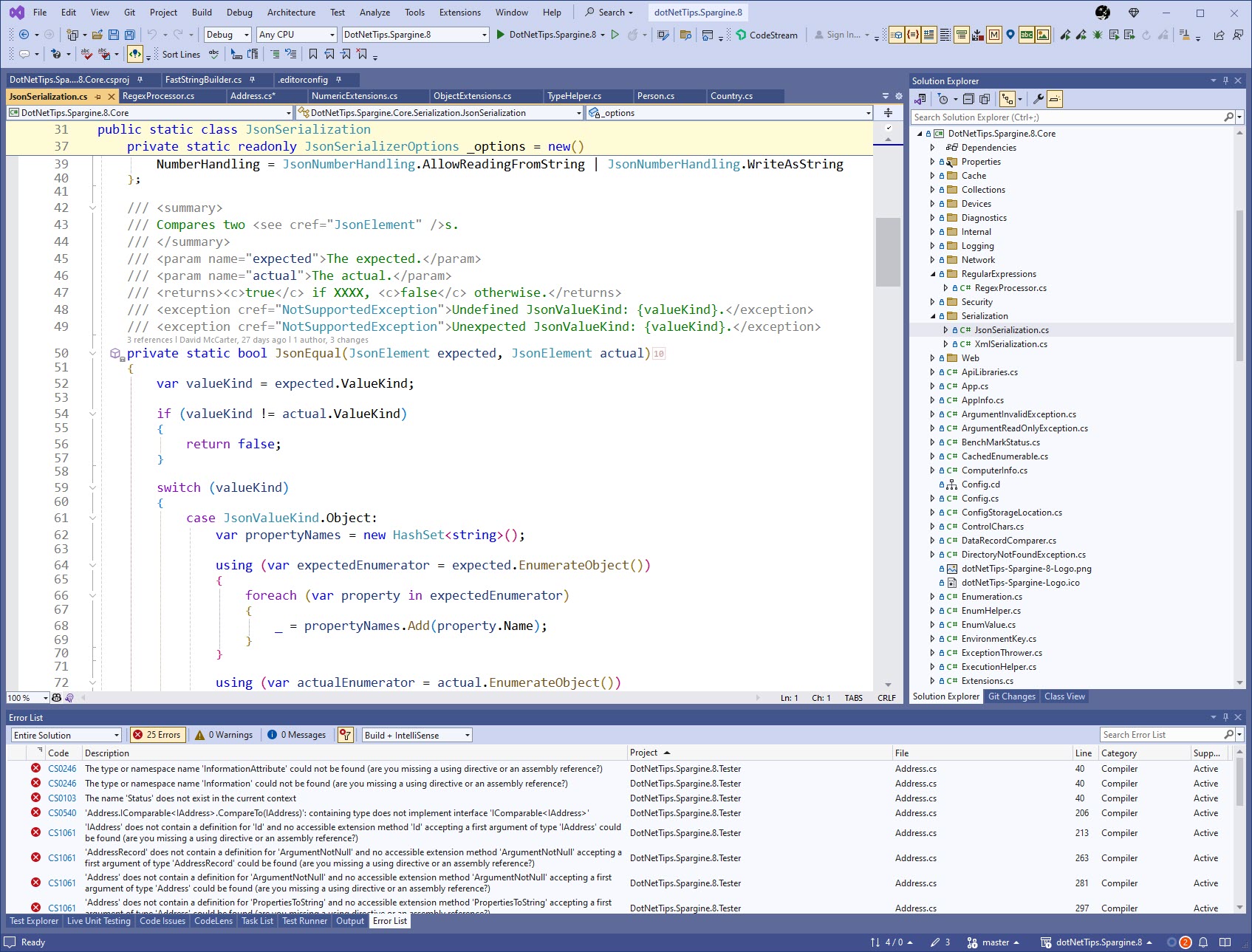
IntelliSense, a notable addition to Visual Basic 6 and Visual Studio, revolutionized coding with its code completion and suggestion features. While invaluable for productivity, there’s a caveat that heavy reliance on IntelliSense might lead to less information retention. However, in the intricate landscape of modern software engineering, expecting developers to memorize everything isn’t pragmatic.
Visual Studio aims to be the one-stop IDE for developers, encompassing a wide array of functionalities beyond programming. It serves as a platform for creating and maintaining databases, cloud services, containers, and source control repositories, as well as managing build and deployment processes. Moreover, Visual Studio fosters extensibility through extensions, empowering developers to enhance productivity or introduce custom features seamlessly.
The evolution of Visual Studio has prioritized the creation of better, more resilient applications. Early tools like FxCop and StyleCop have given way to more advanced solutions such as Visual Studio Analyze and EditorConfig files, offering static code analysis capabilities. In 2021, the introduction of CoPilot to Visual Studio marked a significant milestone, leveraging AI to assist developers in code writing.
In my conference talks, I consistently advocate for writing high-quality, performant code from the outset to minimize bugs and adhere to the latest standards, ultimately reducing costs and enabling companies to focus on feature development. AI assistance, like CoPilot, aligns with this ethos, enabling developers to streamline coding tasks and concentrate on delivering impactful features. After all, it’s features that drive user adoption, not code, bug fixes, or performance enhancements.
In April 2015, Microsoft unveiled Visual Studio Code (VS Code), a versatile IDE available for free. VS Code stands out as a lightweight yet potent source code editor compatible with Windows, macOS, and Linux. It boasts broad language support and simplifies script writing across various platforms.
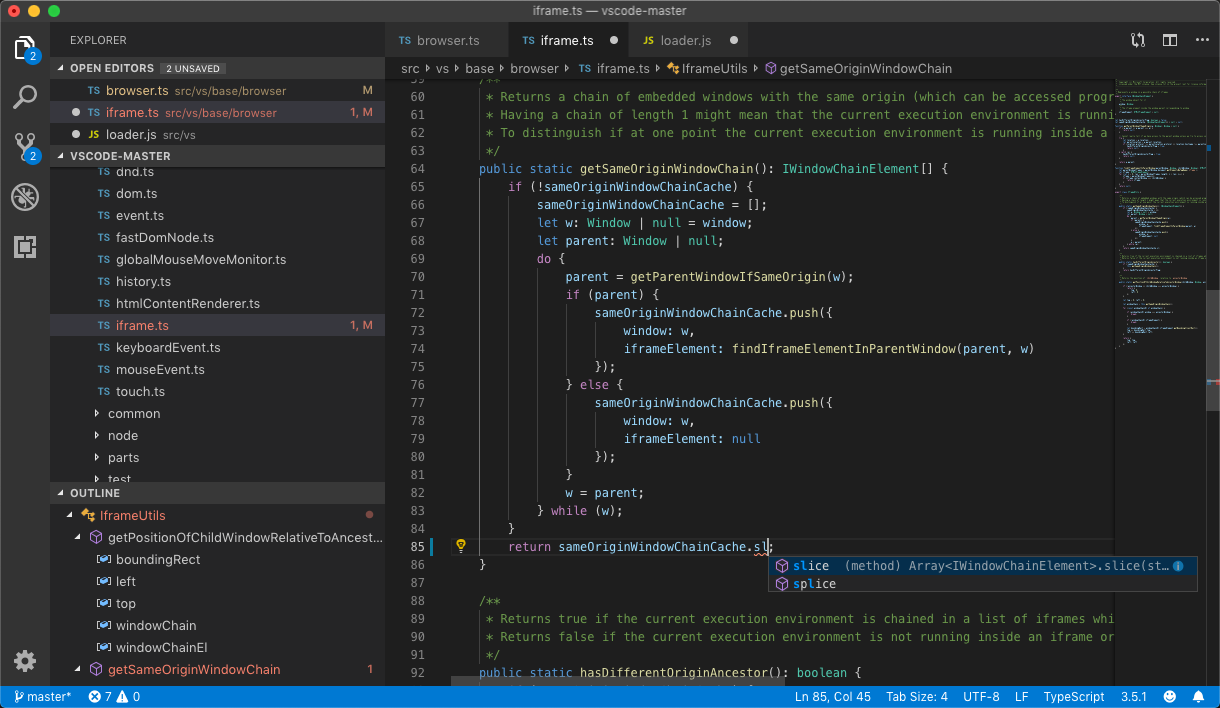
One of VS Code’s key strengths lies in its adaptability and extensibility, akin to its counterpart, Visual Studio. Despite having used Visual Studio for 16 years before VS Code’s debut, I find myself still drawn to its robustness.
However, while VS Code excels in agility and ease of use, it falls short in enterprise-grade features compared to Visual Studio. This limitation becomes apparent, particularly as all the extensions I rely on daily are absent in the VS Code ecosystem.
But Wait, There Is More
This article provides a concise history of IDEs offered by Microsoft. While I focus on the ones I’ve used extensively in my career, it’s worth noting that there are numerous others. Below is a brief list of some of the more popular ones:
- Visual C++ (1993): This IDE from Microsoft is designed for C and C++. It includes a robust set of tools such as a code editor, compiler, linker, debugger, and project management features.
- Azure Storage Explorer (2013): This tool facilitates easy management of Azure Storage data across Windows, macOS, and Linux platforms.
- Power BI (2015): Power BI enables users to visualize and analyze data, create interactive reports and dashboards, and collaborate across their organization. It seamlessly integrates with various data sources, including Excel spreadsheets, databases, cloud services, and streaming data sources.
- Azure Data Studio (2018): A cross-platform database tool tailored for cloud data platforms, compatible with Windows, macOS, and Linux.
Do You Prefer IDEs or the CLI?
The choice between using an IDE or not often feels like a religious decision these days, with some vehemently favoring one over the other. However, I believe in a hybrid approach to .NET development. Programmers can opt for manual coding, use an IDE, or leverage both methods. Considering the intricacies of software engineering, utilizing the IDE for efficiency in application development is paramount. However, engineers need to familiarize themselves with CLI commands for scenarios where IDE functionality falls short.
Even when I was a lot younger in the 90s, I struggled to remember all the commands a CLI might offer. For instance, XCopy for DOS comprises 15 commands, while the dotnet CLI also consists of 15 commands, with ‘build’ alone featuring over 20 commands. IDEs alleviate the burden of memorizing these commands, expediting application delivery.
Summary
There you have it, a concise overview of some of Microsoft’s most popular IDEs for programming, databases, and cloud computing. For beginners, I strongly suggest starting with an IDE to smooth out your learning curve.
The future of IDEs is indeed an exciting realm, and while Microsoft’s plans are kept under wraps, it’s reasonable to anticipate a surge in AI integration. This empowers developers to craft top-notch applications and services, maximizing performance and user satisfaction.
How have IDEs shaped your experience? I’m eager to hear your thoughts. Please comment below or email me at dotnetdave@live.com.
Happy Coding Geeks!
Pick up any books by David McCarter by going to Amazon.com: http://bit.ly/RockYourCodeBooks
Make a one-time donation
Make a monthly donation
Make a yearly donation
Choose an amount
Or enter a custom amount
Your contribution is appreciated.
Your contribution is appreciated.
Your contribution is appreciated.
DonateDonate monthlyDonate yearlyIf you liked this article, please buy David a cup of Coffee by going here: https://www.buymeacoffee.com/dotnetdave
© The information in this article is copywritten and cannot be preproduced in any way without express permission from David McCarter.
Discover more from dotNetTips.com
Subscribe to get the latest posts sent to your email.

 dotNetTips.com