
In my article Coding Faster With dotNetTips Spargine 6 – Validating Arguments Made Easy, I talked about the new fluent validation in Spargine. In this article, I’m going to discuss Spargine extension methods and show examples for validating data. In much of the code we write, we validate the state of a variable. In many cases, we use this to change program flow. These methods that I will describe make this very easy along with some added features.
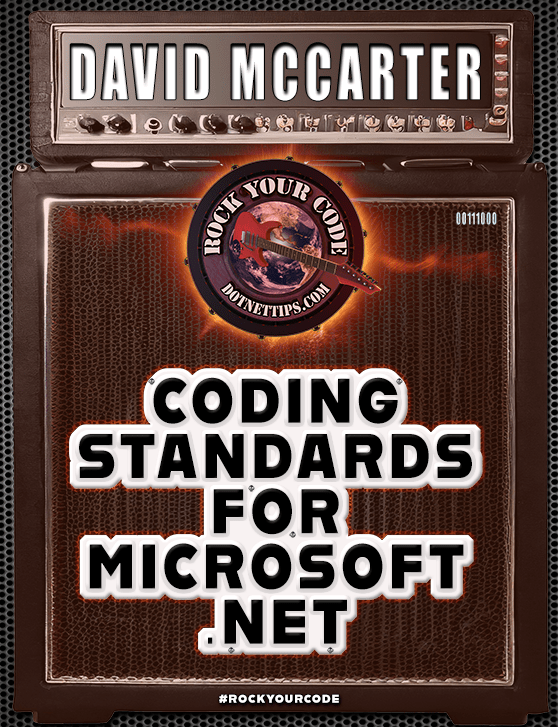
An enhanced edition of this article can be found in my book, “Rock Your Code: Coding Standards for Microsoft .NET,” now available on Amazon. This updated version comprises 230 new pages, providing valuable insights to help you and your team produce top-quality code that is easily modifiable.
Secure your copy by visiting the following link: https://bit.ly/CodingStandards8
In previously released versions of Spargine, I have had helper methods for this. But, for my work moving Spargine to .NET 6, I have completely rewritten these methods to make it even easier to validate data. The methods are in the Validator class in dotNetTips.Spargine.Core. The code and NuGet packages can be found below.
GitHub: https://bit.ly/SpargineCode
NuGet: http://bit.ly/dotNetDaveNuGet
Validating Data
Besides validating parameters, other data needs to be validated usually to change program flow. Spargine now has extension methods for this that start with “Check” which returns a Boolean. All these methods can also throw an exception that can include a custom error message, or you can leave it blank for the default. The appropriate Exception will be thrown such as InvalidValueException (Spargine), DirectoryNotFoundException (Spargine), FileNotFoundException, and more. Since I dogfood my code as much as possible, all the examples below are from the Spargine projects.
Checking for Null Objects
Something I don’t see enough is checking to make sure an object is not null before trying to call a method on it. Remember that in most cases, when calling a method that returns a reference type, it can be null. CheckIsNotNull() makes this easy.
public static bool HasItems<T>(this List<T> list)
{
     if (list.CheckIsNotNull() is false)
     {
          return false;
     }

     return list.Any();
}
Validating Data with a Condition
If you need to validate data using a Boolean condition, you can use CheckIsCondition() as shown below.
public static bool FixedTimeEquals(byte[] left, byte[] right)
{
    if (left.CheckIsCondition(left.Length != right.Length))
    {
        return false;
    }

    // Code removed for brevity
}
Checking for Items in a Collection
When using collections, in most cases, we need to check that there are items in the collection, especially if you have code like this (which I do not recommend).
var person = personCollection[0];
For this, you can use the CheckItemsExist() method.
public static string ToDelimitedString<TKey, TValue>(
                                   Dictionary<TKey, TValue> list,
                                   char delimiter = ControlChars.Comma)
{
     if (list.CheckItemsExists() is false)
     {
         return string.Empty();
     }

     // Code removed for brevity
}
Validating That Directories and Files Exist
It’s very important to ensure that a directory or file exists before trying to access them. For this, you can use CheckExists(). This method supports DirectoryInfo and FileInfo. If the directory does not exist, then this method will create it! Here is an example:
public static async Task<long> CopyFileAsync(FileInfo file,
                                                                          DirectoryInfo destination)
{
     _ = destination.CheckExists(throwException: true, createDirectory: true,
                     errorMessage: string.Format(CultureInfo.InvariantCulture,
                     Resources.DirectoryDoesNotExistOrCannotBeCreated,
                     destination.FullName));
     // Code Removed for Brevity
}
public static bool FileHasInvalidChars(FileInfo file)
{
     if (file.CheckExists())
     {
          return file.FullName.IndexOfAny(InvalidFileNameChars.ToArray()) != -1;
     }
     else
     {
          return false;
     }
}
Checking Values are In Range
To check that values are within a given range, you can use the CheckIsInRange() method. This overloaded method works with DateOnly, DateTime, TimeOnly, DateTimeOffset, decimal, double, byte, int, long, and string (checks length).
public static DateOnly ArgumentInRange(this DateOnly input,
                                                                   in DateOnly lower,
                                                                   in DateOnly upper)
{
     var isValid = input.CheckIsInRange(lower, upper);

     // Code removed for brevity
}
Checking That an Enum is Defined
One thing I very, very rarely see is code checking that the value of an Enum is valid. Remember, it’s just an Int32, and invalid numbers can be sent in, especially from API’s. For that, you can use CheckIsDefined().
public static async IAsyncEnumerable<IEnumerable<FileInfo>> LoadFilesAsync(
                                      IEnumerable<DirectoryInfo> directories,
                                      string searchPattern,
                                      SearchOption searchOption)
{
     if (searchOption.CheckIsDefined() is false)
     {
          searchOption = SearchOption.TopDirectoryOnly;
     }

     // Code removed for brevity
}
Checking GUID or ReadOnlySpan is not Empty
To make sure that a GUID or ReadOnlySpan is not empty before using it, you can use the CheckIsNotEmpty() method.
public static string ToDigits(this Guid input)
{
     if (input.CheckIsNotEmpty())
     {
          return input.ToString("N", CultureInfo.InvariantCulture);
     }
     else
     {
          return string.Empty;
     }
}
Validating Types
The method CheckEquals () will validate that the type equals the expected type as shown below.
public static bool HasBaseClass(this Type type, Type baseClass)
{
     while (type.CheckIsNotNull())
     {
          if (type.CheckEquals(baseClass))
          {
               return true;
          }
          else
          {
               type = type.BaseType;
          }
     }

     return false;
}
Summary
I hope you will use these methods in your code too. If you would like anything added, please do a pull request, or submit an issue. If you have any comments or suggestions, please make them below.
Pick up any books by David McCarter by going to Amazon.com: http://bit.ly/RockYourCodeBooks
Make a one-time donation
Make a monthly donation
Make a yearly donation
Choose an amount
Or enter a custom amount
Your contribution is appreciated.
Your contribution is appreciated.
Your contribution is appreciated.
DonateDonate monthlyDonate yearlyIf you liked this article, please buy David a cup of Coffee by going here: https://www.buymeacoffee.com/dotnetdave
© The information in this article is copywritten and cannot be preproduced in any way without express permission from David McCarter.
Discover more from dotNetTips.com
Subscribe to get the latest posts sent to your email.

 dotNetTips.com