
CodeIt.Right from Submain.com is a static code analysis add-in to Visual Studio. It follows the same rules as FxCop/ Analyze. The best part of CodeIt.Right is that it not only finds the same violations, but it will fix around 90% of them by just clicking a button! It even uses proper patterns for fixing the code like the proper implementation of IDisposable. CodeIt.Right works great with .NET Framework projects! Unfortunately, it does not work properly for .NET Core, and .NET 5.
To install CodeIt.Right, in Visual Studio, go to Extensions then Manage Extensions. You will see the dialog below. Simply go to Online and search for CodeIt.Right.
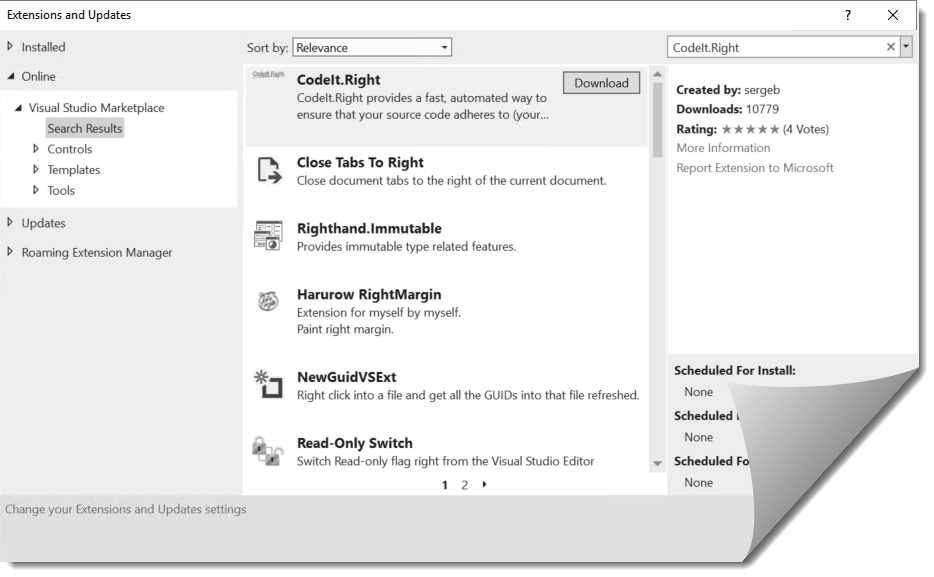
Click Download and then restart Visual Studio.
Analyzing Code for Issues
Using CodeIt.Right is easy by just clicking on Review Code from its toolbar in Visual Studio. By default, the Microsoft Guidelines ruleset will be used.

You can analyze the entire solution or a single project. After doing so, the results window is displayed with the violations.
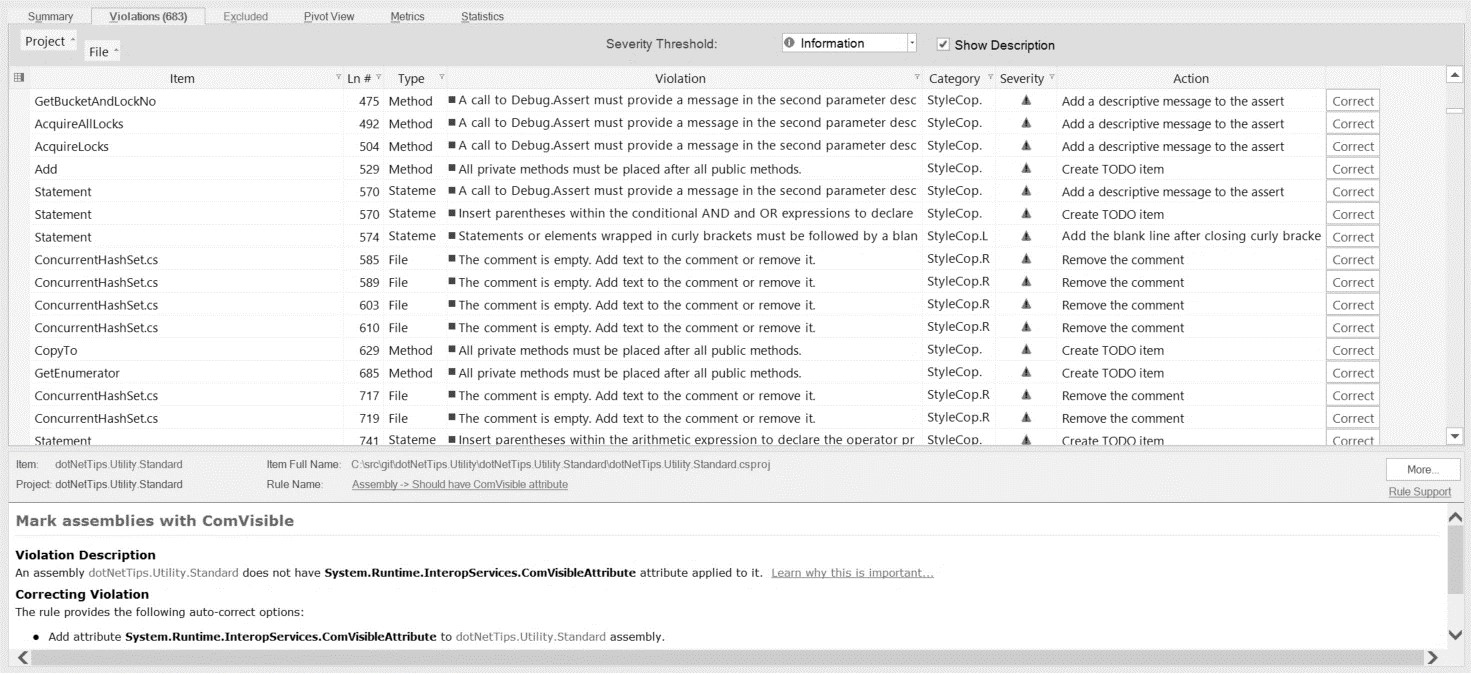
Clicking on each violation will take to you to the code in question. But, the best part about CodeIt.Right is that the violation can also be fixed for you by just clicking on the Correct (on the right) button. What I typically do is:
- Click on the violation and look at the code.
- Go back to the results and click Correct.
- Look at the code that is fixed to make sure it was fixed correctly.
- Build the project!
Using CodeIt.Right dramatically decreases the time it takes to fix code violations. It will pay for itself after the first use!
Custom Rulesets
It’s very easy to create custom rulesets with CodeIt.Right. I have been using CodeIt.Right for a long time and have created rulesets that I use depending on what I am working on in the code. They are:
- dotNetTips.com: This is a stricter ruleset that the Microsoft Guidelines. Even includes checking for spelling mistakes.
- dotNetTips.com – Common: These are common mistakes that I see in most of the code that I analyze.
- dotNetTips.com – Dispose Issues: Just checks for IDisposable issues. Usually the first scan I perform on new projects that I am working on since these are very common issues and will affect memory and performance.
- dotNetTips.com – Globalization: Checks for globalization issues.
- dotNetTips.com – Performance: Checks for performance issues.
These rulesets are available upon request.
Cost Savings
CodeIt.Right can save your company tens of thousands of dollars or more annually. At one company I worked at, I estimated CodeIt.Right could have saved them over $3,000,000 annual if they provided it for their developers (I was the only developer that used it). Even in a typical team of 5 developers, using CodeIt.Right can be an annual cost savings of over $82,000!
Build Process
Scanning the code for issues with CodeIt.Right can and should be added to your build process. Do not release the code for testing by QA until the issues have been fixed or marked to ignore (by a lead on the team).
Discover more from dotNetTips.com
Subscribe to get the latest posts sent to your email.

 dotNetTips.com